REAL OPENGL CAPTURE · CHAPTER 10One known rectangle, one known background
context
OpenGL 4.5 core · Mesa llvmpipe
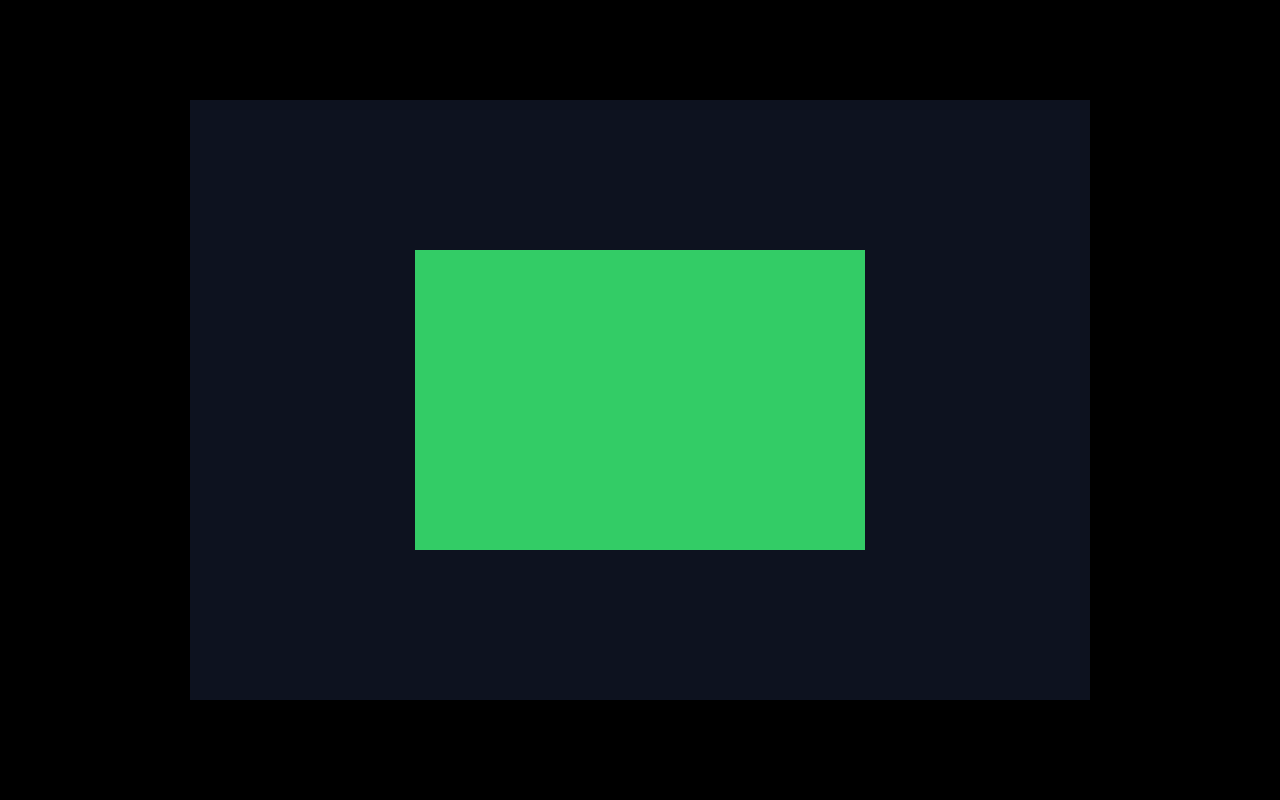
rectangle
450×300 centered in 900×600
pixels
green center · navy client · black root
VISIBLE RESULTOpenGL capability and rectangle evidence
chapter-10-first-rectangle
$ GDK_BACKEND=x11 zig build run -Dgtk=true -Dcapture-timeout-ms=1800
[entry] ghostty
[main] process started
[app] created
[gtk] initialized
[surface 1] created
[gl] vendor=Mesa
[gl] renderer=llvmpipe (LLVM 15.0.7, 256 bits)
[gl] version=4.5 (Core Profile) Mesa 23.2.1-1ubuntu3.1~22.04.4
[gl] shading_language=4.50
[gtk] window presented 900x600
[gl] rectangle x=225 y=150 width=450 height=300
[gtk] event loop exited
[surface 1] destroyed
[gtk] terminated
[app] destroyed
[main] process exiting
The capture runs GTK's normal close path through an explicit capture-only timeout. CI repeats the native build, lifecycle smoke test, capture, and pixel checks.
It is tempting to jump straight to letters. But one glyph would mix OpenGL setup, shaders, textures, font loading, rasterization, metrics, and blending. If the screen stayed blank, we would not know which part failed.
A rectangle lets us test one short path:
GtkGLArea → current OpenGL context → viewport → known background → known region
Terminal state remains disconnected intentionally.
First, make sure the window lifetime is trustworthy
We ask for OpenGL 4.3 or newer. Here Mesa’s llvmpipe software renderer gives us 4.5. That is good deterministic evidence, but it does not magically prove every hardware driver or Wayland setup.
GTK invokes this C ABI function with the GL area, current-context metadata, and the registered surface context pointer.
Zig difference: The Zig side deliberately calls a narrow shim instead of recreating GTK macros and callback ABI details.
MEMORY / LIFETIME FLOW
GTK Surfacewindow + GLArea widgets
render callback threadtemporarily current GL context
OpenGL contextviewport, scissor, clear state
framebufferbackground + centered rectangle pixels
Why no higher-level tab: TypeScript canvas and Python graphics wrappers can draw rectangles, but they hide GTK callback ABI, current-context state, OpenGL coordinates, and native resource lifetime—the exact concepts this chapter introduces.
Text version: GTK enters a C render callback with native pointers. The callback makes the GLArea context current, reads widget dimensions, establishes a bottom-left framebuffer viewport, restricts drawing with a centered scissor rectangle, and clears it. Returning handles the frame but does not free the GTK Surface or GL context; their native lifetime continues until teardown.
Read the callback like a short recipe:
makes the GLArea context current;
sets a viewport from widget dimensions;
clears the full client area to dark navy;
enables scissor testing;
clears the centered half-width/half-height region to green;
disables scissor testing.
Notice what we did not add: no shader, vertex buffer, texture, or renderer class. A clear plus scissor is enough to prove pixels can change.
Check actual pixels, not just “the screenshot changed”
The center must differ from the client background, and the client background must differ from the X root display. These three samples tell us the green rectangle, navy window, and black X root are all distinct. That is much stronger than saying “some screenshot bytes changed.”
The graphics surface can draw geometry but not text. The next checkpoint should isolate font discovery, metrics, and one rasterized glyph before introducing an atlas or terminal-cell rendering.